
08:00 AM - OPENING
Start Anywhere
Check today sales, stock position, customer dues, and pending activity before the counter gets busy.
Multi Device Control
Trusted POS workspace for local shops
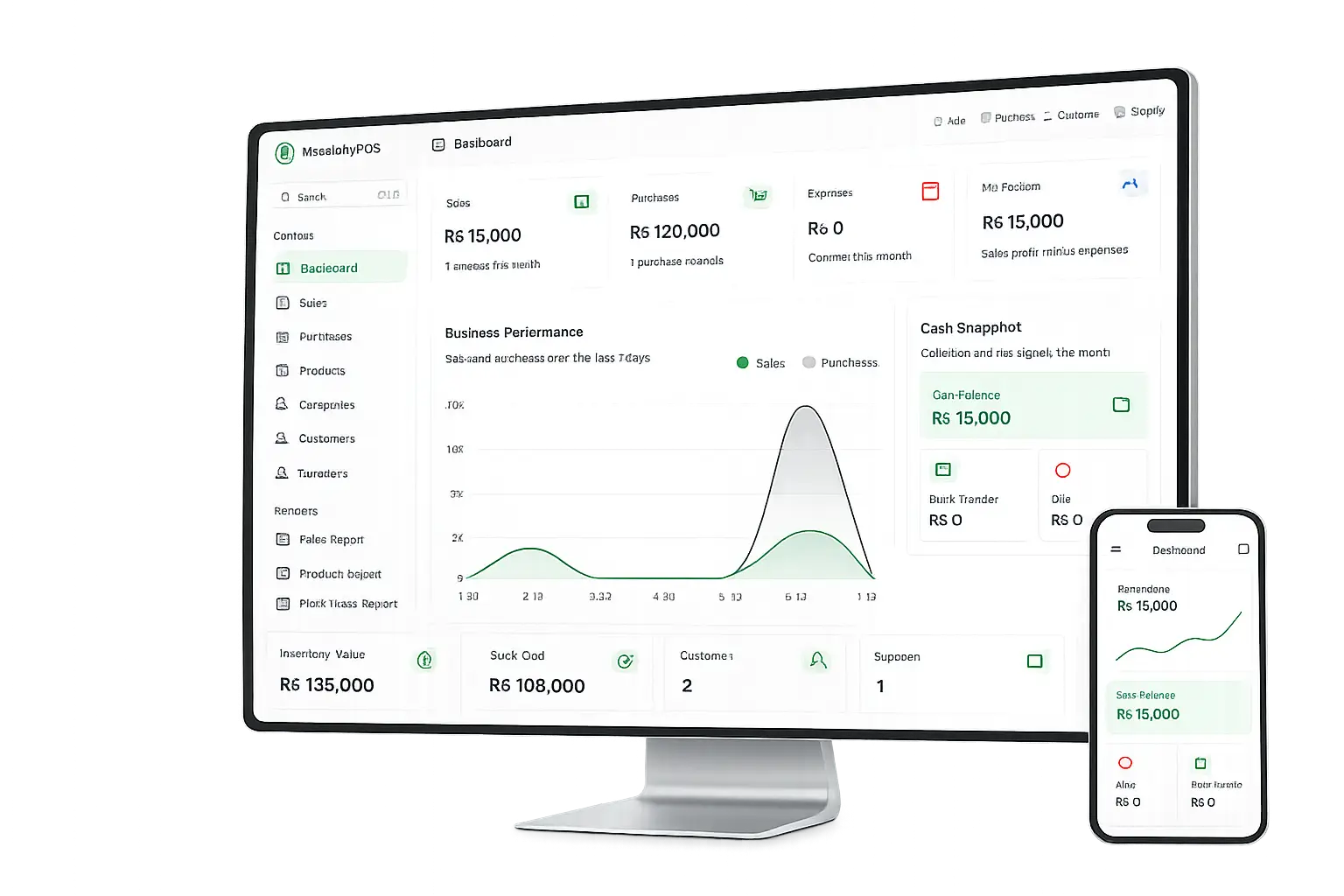
Run billing, stock, purchases, customer balances, supplier payments, expenses, staff roles, service orders, invoices, and reports from one clean Finova workspace.
Tax-Ready Billing
Secure SSL Data
Protection
Trusted by Shop
Professionals
Used by Retail &
Service Brands
Built for everyday businesses
Finova is designed around daily business work: create sales, receive purchases, manage parties, record expenses, control staff access, and understand your business position.
30+
daily business workflows
1
private workspace per business
5 min
simple setup for owners
Live
sales, stock, and payment view

Your business journey
The flow follows how shop owners actually work through the day.
08:00 AM - OPENING
Check today sales, stock position, customer dues, and pending activity before the counter gets busy.
Multi Device Control
11:00 AM - BUSY HOURS
Your sales staff creates bills from their own logins. You stay relaxed knowing each user has the right permissions.
Multi-User Control
04:00 PM - STOCK CHECK
Purchases update stock, sales reduce quantity, and customer or supplier balances stay connected to invoices.
Always-On Records
09:00 PM - CLOSING TIME
Close your day with sales reports, product reports, ledgers, expenses, and tenant-protected business records.
Secure Daily Closing
Multi-device experience
Owners can check reports while staff continue billing at the counter. The same workspace keeps products, parties, payments, and reports together.
Private
tenant workspace for each business
Instant
updates across sales and reports
Core billing software features
Record cash, due, advance, bank transfer, and custom payment methods inside each transaction.
Create clean sale invoices with discounts, received amount, pending amount, and payment history.
Add supplier purchases, purchase items, purchase payments, and stock updates from one flow.
Keep sale, purchase, order, and payment invoices organized for quick lookup and printing.
Manage customer profiles, payment entries, outstanding balances, and full customer ledgers.
Use barcode tools to prepare products for faster checkout and cleaner stock handling.
See available quantity, category, purchase value, sale value, and product performance.
Track expense categories, cash movement, bank transactions, and day-to-day finance activity.
Store supplier details, purchase history, payments, and remaining balances in one place.
Give admins, managers, sales staff, and employees the right access to protect business data.
Run tailoring or service orders with services, attributes, extra services, assignments, and invoices.
Review important activity across the system so owners can understand what changed and when.
Why choose Finova?
Less
manual rewriting
Sales, payments, stock, and ledgers update from connected workflows instead of repeated notebook entries.
Real multi-device experience
Staff can continue billing while owners check products, payments, customers, and reports from the same workspace.
Give staff only the permissions they need for sales, purchases, products, reports, and settings.
Customer and supplier balances stay tied to invoices and payments, so owners can trust their records.
Clear
business position
See sales, dues, expenses, stock value, and profit signals from reports instead of guessing.
Complete billing solution
Create invoices, record payments, update stock, and keep reports ready without jumping between notebooks and separate tools.
Connected workflow
Finova keeps daily work organized by connecting billing, stock, payments, ledgers, and reports instead of treating them as separate tasks.
Add products, discount, customer, received amount, and due status.
Sales reduce quantity and purchases increase quantity automatically.
Customer and supplier ledgers stay tied to invoices and payments.
Owners can review sales, stock, purchases, day book, and profit signals.
Create sale invoices, payment invoices, and order invoices with your business details.
Included in FinovaTrack stock from sales and purchases so product quantity stays visible.
Included in FinovaSpeed up counter sales with a clean workflow for products, carts, and payments.
Included in FinovaReview sales, products, purchases, orders, day book, and profit/loss reports.
Included in FinovaSales
Fast invoices and payment status
Stock
Product quantity updates with billing
Reports
Clear records for owner decisions
Quick setup
Set up the information your business already uses every day, then start billing with connected records.
Step 01
Register the business name, phone number, owner name, email, and password.
Workspace Ready
Step 02
Save logo, address, phone numbers, theme color, and invoice identity from settings.
Brand Ready
Step 03
Add products, categories, units, customers, suppliers, banks, and employees.
Catalog Ready
Step 04
Create sales and purchases, receive payments, print invoices, and check reports.
Billing Ready
Smart POS software
Sell Smarter
Invoices, payments, customer balances, and product quantities stay tied together.
Manage Better
Purchases, expenses, bank transactions, staff roles, and ledgers are organized in one workspace.
Know Faster
Reports help owners understand what happened today without checking multiple notebooks.
Invoices, discounts, received amount, pending dues, and customer balances remain linked.
Purchases increase quantity, sales reduce quantity, and product reports stay ready.
Cash, bank, advance, due, customer payments, and supplier payments are recorded properly.
Owners can review sales, purchases, products, day book, ledgers, and profit/loss from one place.
Better control
Every important workflow has a clear record.
Faster closing
Daily totals are easier to review at the end of the day.
Cleaner decisions
Reports are based on connected billing and payment activity.
Simple for non-technical teams
Finova uses the same words owners already use at the counter, so teams can move from billing to stock, parties, payments, and reports without confusion.
Staff-ready structure
01
Daily language
Menus use familiar shop terms like sales, stock, parties, and payments.
02
Short learning path
Staff can start with billing first, then learn inventory and reports as needed.
Create invoices, apply discounts, receive payments, and keep each customer sale recorded.
Add products, record purchases, update quantities, and keep pricing details in one place.
Track customers, suppliers, expenses, cash activity, and bank entries without scattered notes.
Use daily summaries and reports to understand sales, profit, dues, and product performance.
Business coverage
From the first sale to the closing report, each workflow updates the records your business depends on.
Create quick invoices with customer, discount, payment, and due details.
Track products, categories, units, barcode labels, purchase cost, and sale price.
Enter supplier purchases and keep stock movement tied to purchase history.
Review customer and supplier balances with payment entries and invoice links.
Record expenses, bank transactions, received amounts, and pending payments.
Read sales, product, purchase, order, day book, and profit/loss reports.
Manage from anywhere
Open the system from desktop or laptop at the counter.
Use phone or tablet browser for quick owner checks.
Keep products, sales, purchases, payments, and reports connected.
Where it helps
Staff can create sales, print invoices, and record received or pending amounts.
Owners can review stock, reports, expenses, and party balances when needed.
Purchases, banks, suppliers, employees, and settings stay organized in one place.
Who can use it?
Fast billing, product stock, customer dues, and daily closing reports for small shops.
Organize products, categories, barcodes, payments, and high-volume counter sales.
Track customers, sales records, payments, and staff access with clear invoice history.
Manage garments, tailoring orders, extra services, measurements, and customer ledgers.
Handle products, purchase cost, sale price, stock, invoices, and supplier balances.
Use simple sales, expense tracking, bank activity, and daily reports for business control.
Track inventory, purchases, customer payments, and product reports in a structured system.
Manage supplier purchases, product quantities, customer dues, and counter invoices.
Record sales, expenses, bank movement, staff access, and daily business summaries.
Manage services, customer records, payments, expenses, and owner reports.
Track customers, suppliers, payments, banks, expenses, and daily cash movement.
Handle products, accessories, supplier purchases, customer balances, and reports.
Frequently asked questions
Finova is built for owners who want billing, stock, parties, payments, staff access, and reports in one organized workspace.
Best starting path
Create your business account
Add products, customers, and suppliers
Start invoices with connected reports
Finova is POS billing software for managing sales, purchases, stock, customers, suppliers, payments, staff roles, invoices, and reports.
Yes. Registration creates a tenant workspace so business data stays separated from other businesses.
Yes. You can track customer payments, supplier payments, balances, and ledger history.
Yes. Admin users can create users and assign roles and permissions for controlled access.
The system includes sales, products, purchases, orders, profit/loss, day book, and ledger views.
Ready to start?
Register your business, add products and parties, then create invoices with stock, payments, ledgers, and reports connected from the beginning.
Next step
Create your workspace, add your products and parties, then begin billing with connected reports.